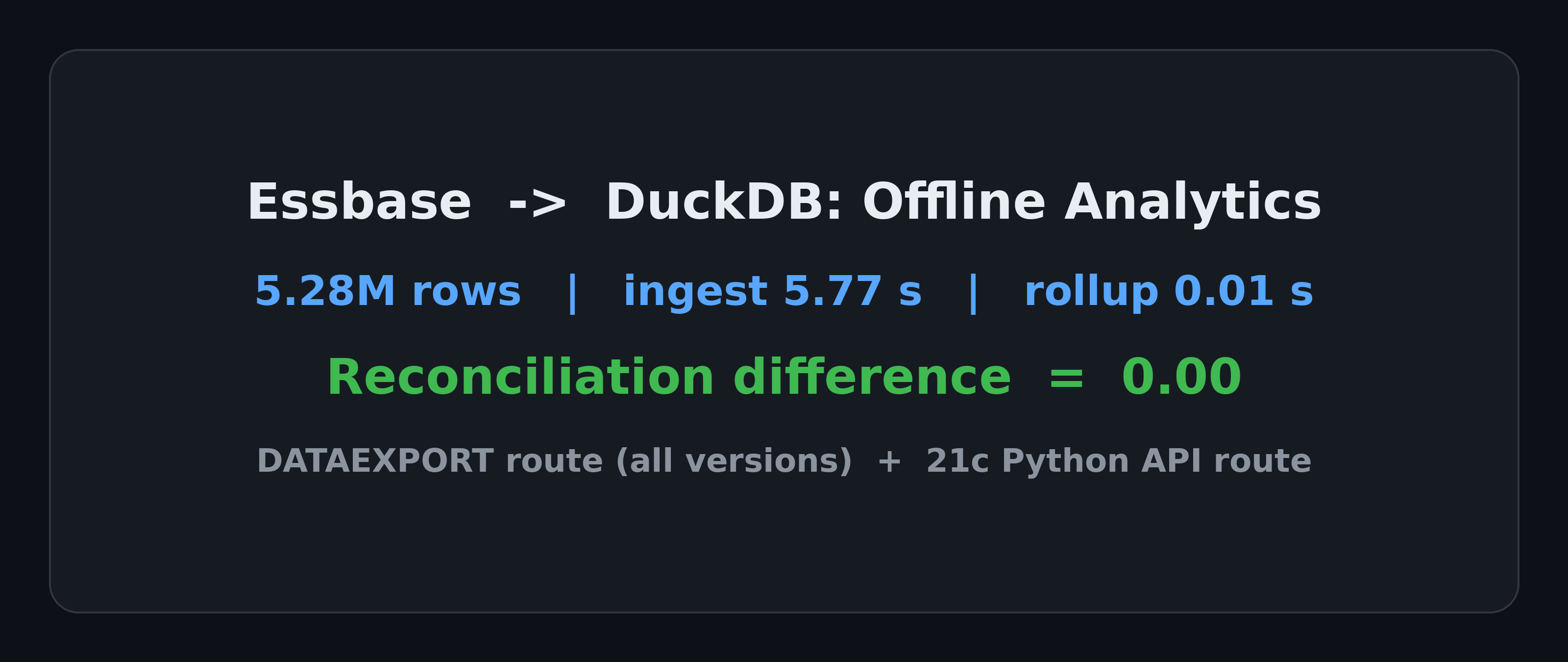
A classic MOLAP meets a modern columnar engine
Essbase is the archetypal MOLAP engine: data lives in cubes, and rollups, drill-downs, and formula members are its home turf. Its weak spots are reporting flexibility and large-scale offline analysis — slicing the data from a new angle usually means waiting for a report build or pulling slowly through Smart View. DuckDB comes from the opposite direction: columnar storage, vectorized execution, one file is one database, and its strength is exactly large scan-and-aggregate work.
Exporting Essbase data into DuckDB for offline analysis sounds like an obvious combination. Before building it, I searched for existing work: there is no public case study — no hands-on blog post, no open-source project, no vendor connector, only auto-generated product blurbs on software comparison sites. The two halves of the bridge both exist (Essbase has official exports and a Python API; DuckDB reads almost any file), but nobody had connected them. This article runs both routes end to end and validates them the way finance validates anything: every rollup in DuckDB must reconcile against the source, line by line.
Environment: DuckDB v2.0.0 (Python). The data is synthetic, generated in the shape of the outline of Sample Basic, Essbase’s bundled sample application: 5 level-0 measures (Sales, COGS, Marketing, Payroll, Misc), 13 products, 20 states, 12 months, and two scenarios (Actual and Budget), with roughly 45% of cells empty — sparsity is the norm for Essbase cubes, and empty cells simply do not appear in an export. Every aggregate in the synthetic data has an independently generated ground truth to reconcile against. What is being verified is the pipeline and the semantics, not any company’s real numbers.
First, what problems this actually solves
This pipeline is not a replacement for Essbase. It addresses four specific, everyday pains:
1. Reconciliation is manual, and breaks can’t be located. Budget vs. actual, or one system vs. the next, never quite tying out is the normal state of budgeting work. The usual method is to pull a report from each side and compare in Excel — except what gets pulled is already aggregated, so a difference can’t be traced to member level. This pipeline moves the full level-0 detail out and recomputes it: every rollup can be drilled back to level-0 members. A difference of zero is provably zero, and a real break can be located to the exact members and scenario immediately. The reconciliation step below exists for precisely this.
2. There is no cheap way to test a rule change. Change an allocation rule or a calculation and the blast radius is unknown until you rerun everything in a test environment — or go to production and see. A full calculation run on a production cube is measured in tens of minutes, and during close periods it locks blocks. An offline replica never touches production: a full rollup over 5.28M rows takes 0.01 seconds, so you run the old logic and the new logic side by side, diff the results, and only then decide whether the production rule changes.
3. Ad-hoc pulls are slow — and risky for the people entering data. Pulling wide ranges through Smart View runs into row and timeout limits; pulling in batches is the norm. Running a full scan on the production cube risks slowing down everyone who is entering budgets at that moment. The replica sits on your own machine: million-row aggregations finish in hundredths of a second, and you can slice by any dimension without queueing and without touching production.
4. Cross-system joins are impossible inside Essbase. When Essbase numbers need to be read against outside data — another system’s export, an Excel ledger, a text file — there is no way to do it inside Essbase. You export first, and then you need something to join with. That something is this pipeline: DuckDB reads CSV, Parquet, Excel, and JSON natively, and a multi-source join is one SQL statement.
The common thread: Essbase’s compute is expensive and centralized, which makes it a bad place to experiment or explore. The replica separates “looking” from “calculating” — production keeps data entry and official calculations; the replica takes analysis and what-if work.
Route 1: Export level-0 data, read it directly in DuckDB
The Essbase side is a standard operation: a DATAEXPORT calc script (or MaxL) writes level-0 data to a text file in non-column format — one full member intersection plus one value per line:
FIX ("Actual", "Budget")
  DATAEXPORT "File" " " "basic_level0.txt";
ENDFIX
The export file looks like this (quoted member names, space-separated, value at the end of the line):
"Jan" "Sales" "100-10" "New York" "Actual" 4013.82
"Jan" "Sales" "100-10" "California" "Actual" 2981.55
On the DuckDB side there is no import program at all — read_csv turns the text into a table directly, with the quote character and delimiter as parameters:
CREATE TABLE fact AS
SELECT * FROM read_csv('basic_level0.txt', header = false, sep = ' ', quote = '"',
  columns = {'Month':'VARCHAR', 'Measures':'VARCHAR', 'Product':'VARCHAR',
             'Market':'VARCHAR', 'Scenario':'VARCHAR', 'Value':'DOUBLE'});
-- 17,068 rows, 0.04 s measured
A fact table alone is not enough. Essbase rollups follow the outline hierarchy, so on the DuckDB side the hierarchy becomes data: export members and their parents into two small tables, product_hier(member, parent, rollup) and market_hier(member, parent). From then on, any rollup is a join plus a GROUP BY:
SELECT h.parent AS category, sum(f.Value) AS sales
FROM fact f
JOIN product_hier h ON h.member = f.Product AND h.rollup = 'primary'
WHERE f.Measures = 'Sales' AND f.Scenario = 'Actual'
GROUP BY 1 ORDER BY 1;
| category | sales |
|---|---|
| 100 | 1745240.44 |
| 200 | 2558852.13 |
| 300 | 1883168.76 |
| 400 | 1869248.40 |
Reconciliation: these four category values, the five market-region rollups, and the overall Sales total of 8,056,509.73 were compared against ground truth line by line — the difference is exactly zero in every case. This step is the credibility foundation of the whole route: once the semantics tie out, everything downstream is trustworthy.
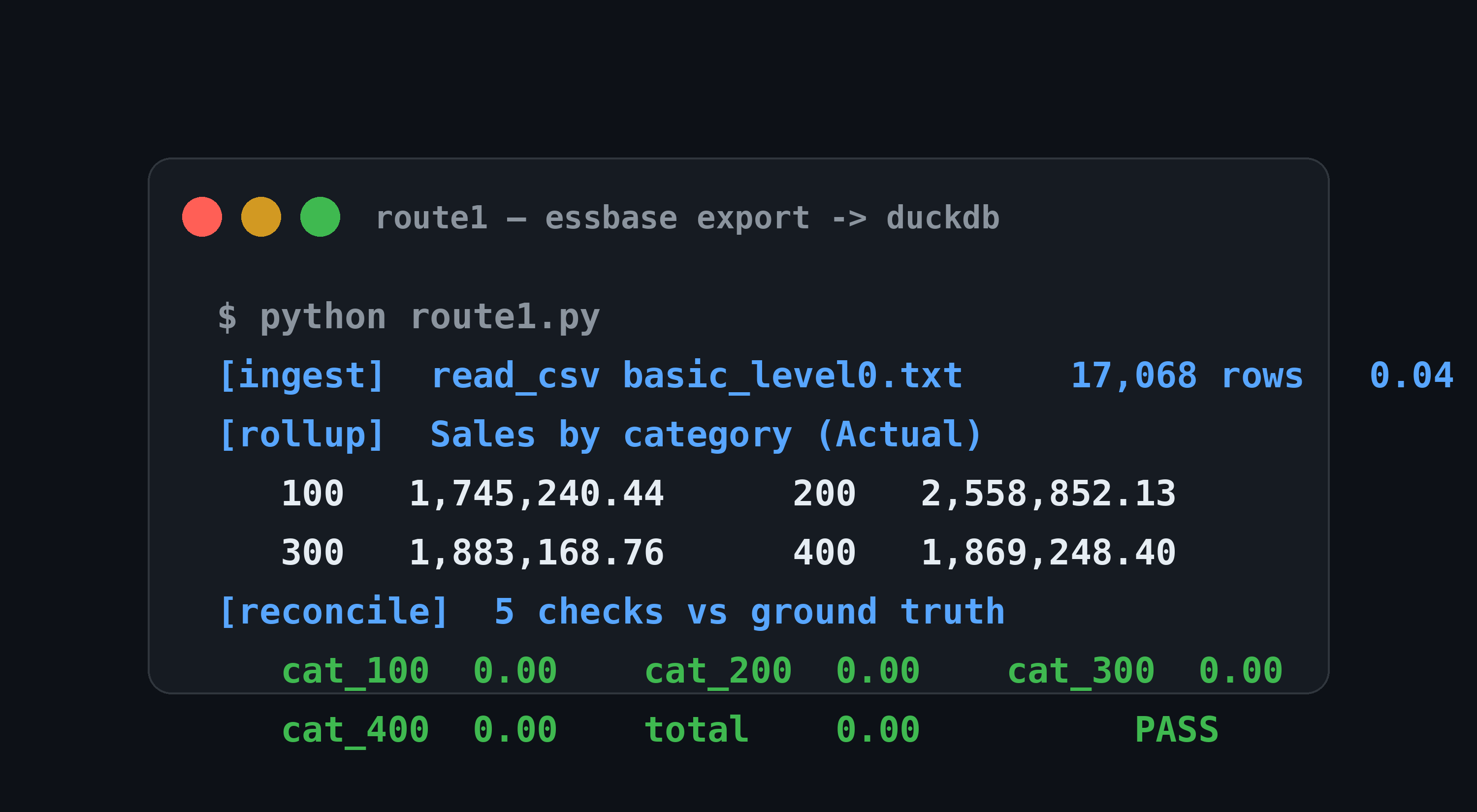
Figure 1: Route 1 output — level-0 export ingested in 0.04 s; category rollup and all five reconciliation checks show a difference of 0.00.
Essbase specialty 1: alternate rollups (shared members)
In Sample Basic, Diet is an alternate rollup: products 100-20, 200-20, and 300-30 belong to their categories and are also rolled up once more under Diet (implemented in Essbase with shared members). The relational model handles this without drama — the hierarchy table gets a rollup column distinguishing the primary rollup from the alternate one, and a member simply appears twice:
SELECT sum(f.Value) FROM fact f
JOIN product_hier h ON h.member = f.Product AND h.parent = 'Diet'
WHERE f.Measures = 'Sales' AND f.Scenario = 'Actual';
-- 1782909.84, difference vs. ground truth: 0
The one rule: never let the alternate rollup leak into the primary hierarchy chain, or totals get double-counted — the same discipline as keeping stored and shared members straight inside Essbase.
Essbase specialty 2: recomputing formula members in SQL
Profit is a formula member in Sample Basic (Sales minus COGS, Marketing, Payroll, and Misc); it is not stored at level 0, so it does not exist in the export file. DuckDB recomputes it with one conditional aggregation:
SELECT sum(Value * CASE Measures WHEN 'Sales' THEN 1 ELSE -1 END) AS profit
FROM fact WHERE Scenario = 'Actual';
-- 2152890.95, difference vs. ground truth: 0
This also marks the semantic boundary of the route: however many formula members a cube has, that many definitions must be maintained on the SQL side. With a handful of accounts that is a few CASE expressions; in a real budgeting system with hundreds or thousands of formula members, you need a maintainable definition layer. That is where the real productization work sits — not in the pipeline itself.
Scale test: 5.28 million rows
The Sample Basic scale only validates semantics. A second, larger dataset adds an Entity dimension with 100 organizations, expands products to 200 SKUs, and keeps markets at region level: 5,281,142 level-0 rows, a 317 MB export text file. Measured on the same machine:
| Step | Result |
|---|---|
| Ingest export text into DuckDB | 5.77 s |
| Convert to Parquet (ZSTD) | 2.33 s, 317 MB → 21 MB (14.0x) |
| Full rollup (total Sales) | 0.01 s |
| Top-10 organizations by Sales | 0.01 s |
| Actual vs. Budget variance, all products | 0.02 s |
Variance analysis is the most common job in this kind of offline work. In Essbase it usually takes a dedicated report; in DuckDB it is one aggregation with FILTER:
SELECT Product,
       sum(Value) FILTER (Scenario = 'Actual')
     - sum(Value) FILTER (Scenario = 'Budget') AS var
FROM fact_scaled WHERE Measures = 'Sales'
GROUP BY 1 ORDER BY abs(var) DESC LIMIT 5;
-- largest variance: SKU-0057, Actual 1,553,495.11 below Budget
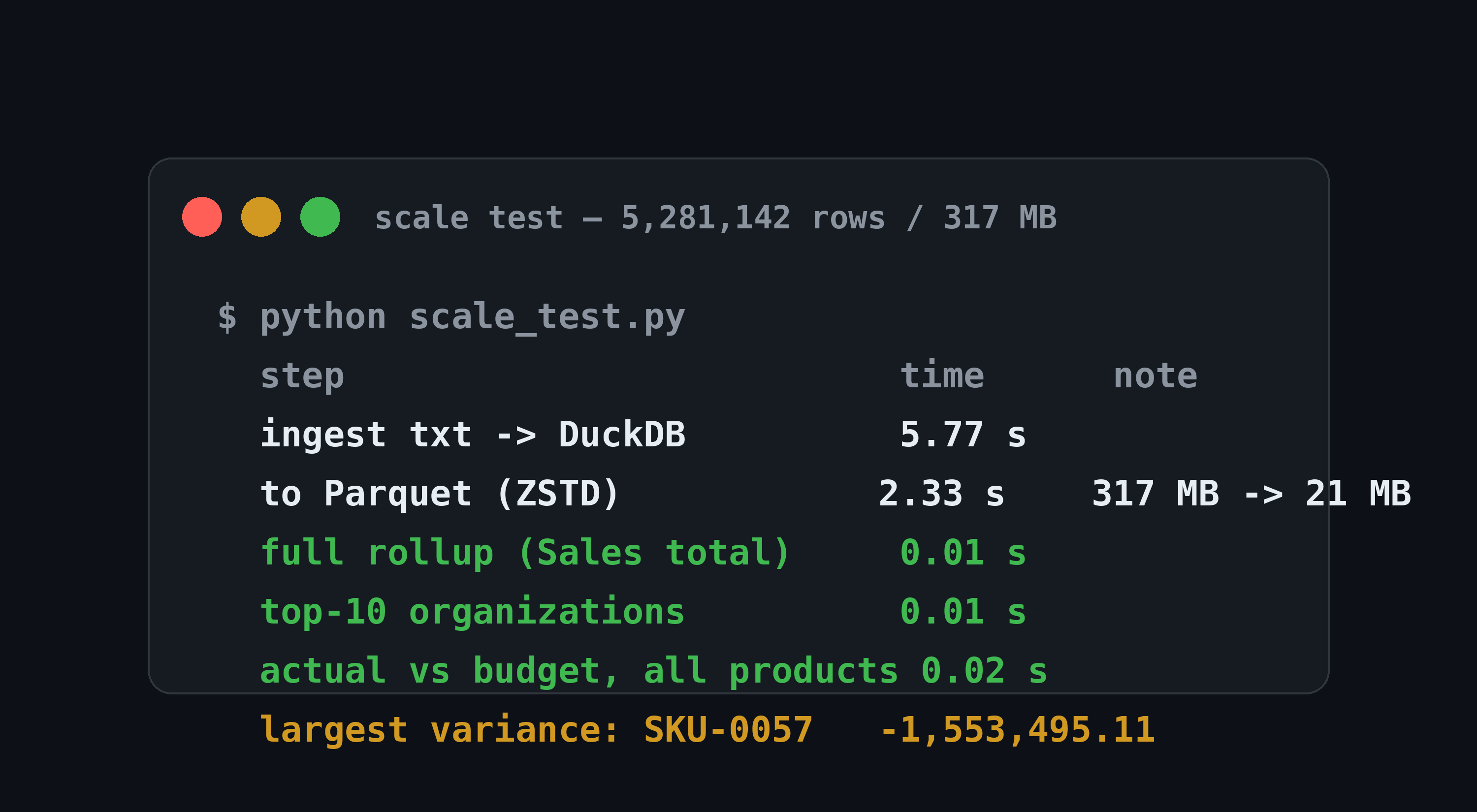
Figure 2: Scale test output — 5,281,142 rows ingested in 5.77 s, Parquet compression of 14.0x, and all three analysis queries inside 0.02 s.
Route 2: the Essbase 21c Python API
From 21c onward, Oracle ships an official Python package, oracle-data-studio (imported as essbase), which runs MDX from Python and flattens the result into a list of records. First, verify the package itself: it installs from PyPI (version 1.0.37 at the time of testing), and connect(url, username, password), Database.mdx_records(query), and mdx_to_records() all exist exactly as Oracle’s official blog describes.
import essbase, pandas as pd, duckdb

with essbase.connect(url, user, password) as ess:
    db = ess.applications['Sample'].databases['Basic']
    records = db.mdx_records("""
        SELECT {[Measures].[Sales]} ON COLUMNS,
               CROSSJOIN({[Year].Children}, {[Product].Children}) ON ROWS
        FROM Basic WHERE ([Market].[East], [Scenario].[Actual])""")

df = pd.DataFrame(records)
duckdb.sql("SELECT Product, sum(Sales) FROM df GROUP BY 1")
The scope of the local verification, stated plainly: an MDX response in the official “axes + cells” shape was constructed from the same dataset (156 cells); Oracle’s own mdx_to_records flattened it into 156 records; the records were aggregated in DuckDB and reconciled per product against ground truth — total 1,974,941.30, difference zero. Running a live MDX query against a real 21c server was not done on this machine — the half from flattening to DuckDB is verified, the server-connection half is verified at the interface level only. Note also that this route exists only on 21c and Essbase Cloud; in-place 11.x systems do not have this API and should use Route 1.
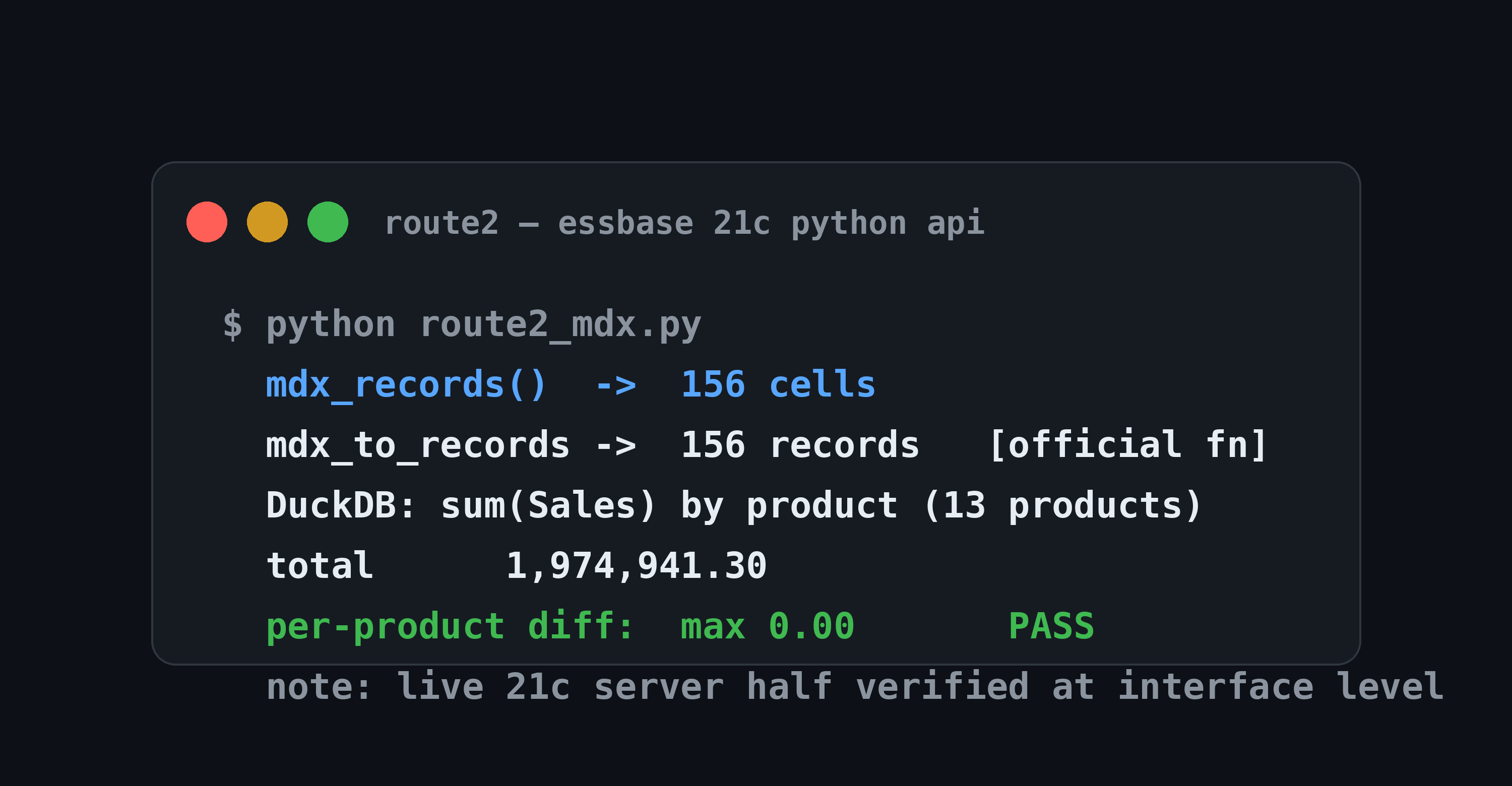
Figure 3: Route 2 output — the MDX response flattened by Oracle’s own function into records, then reconciled in DuckDB; total and per-product differences are zero.
Limits
- Read-only, no write-back. This pipeline moves data out for analysis. Budget entry and calc script execution stay in Essbase; this is not a replacement for them.
- Parent values are recomputed on the fly. In Essbase, parent members are stored or dynamically calculated; on the DuckDB side they are aggregated live from the full level-0 set. Reconciliation therefore depends on the export being complete — leave out one scenario and the numbers will not tie, confidently and completely.
- Security semantics do not migrate. Essbase filters and meta-read permissions do not travel with an export file. The offline copy needs its own masking and access control.
Conclusion
Both routes work: exports for every Essbase version, plus a direct API route on 21c. At the 5.28M-row scale, ingest takes seconds, rollups take hundredths of a second, and every aggregate reconciles against the source with a difference of exactly zero. Coming back to the four problems — reconciliation that drills to member level, rule changes you can dry-run on a replica first, ad-hoc pulls that neither queue nor threaten production, and cross-system data you can finally join — they are all the same idea: give Essbase a cheap, disposable offline companion. The source system stays untouched. This is not a migration plan.
Further Reading
- DuckDB CSV Import: The Complete Guide — the full
read_csvsurface used in Route 1 - DuckDB Advanced SQL Mastery — window functions and aggregation patterns that scale this pipeline further