Introduction
JSON is one of the most common data formats in analytical workloads — whether API responses, log records, or configuration information, it’s everywhere. DuckDB provides powerful JSON processing capabilities that allow you to query and manipulate nested JSON data directly in SQL, without needing to flatten it into relational tables first.
This article explores three real-world business scenarios covering read_json, json_extract, json_extract_scalar, and techniques for flattening nested JSON structures with complete SQL examples and results.
Scenario 1: Reading and Analyzing JSON Files with read_json
Suppose we export order logs from an e-commerce platform, where each log entry contains a deeply nested JSON structure. We need to quickly analyze this order data.
Sample Data
First, create a sample JSON file representing order data:
[
  {"order_id": "ORD001", "customer_id": "C001", "items": [{"name": "Laptop", "price": 1500, "qty": 1}, {"name": "Mouse", "price": 25, "qty": 2}], "total": 1550, "status": "completed", "created_at": "2026-07-01T10:30:00"},
  {"order_id": "ORD002", "customer_id": "C002", "items": [{"name": "Phone", "price": 800, "qty": 1}], "total": 800, "status": "pending", "created_at": "2026-07-01T14:45:00"},
  {"order_id": "ORD003", "customer_id": "C001", "items": [{"name": "Headphones", "price": 150, "qty": 1}, {"name": "Charger", "price": 30, "qty": 1}], "total": 180, "status": "completed", "created_at": "2026-07-02T09:15:00"},
  {"order_id": "ORD004", "customer_id": "C003", "items": [{"name": "Tablet", "price": 400, "qty": 2}], "total": 800, "status": "shipped", "created_at": "2026-07-02T16:20:00"},
  {"order_id": "ORD005", "customer_id": "C002", "items": [{"name": "Keyboard", "price": 80, "qty": 1}, {"name": "Monitor", "price": 300, "qty": 1}], "total": 380, "status": "completed", "created_at": "2026-07-03T11:00:00"}
]
In DuckDB, load this JSON file directly:
-- Load data directly from JSON file into a table
CREATE TABLE orders_json AS
SELECT * FROM read_json_auto('orders.json', limit_rows := 1000);
For testing with inline data (simulating parsed JSON results):
-- Create an orders table simulating JSON-loaded data
CREATE TABLE orders AS
SELECT * FROM (
  VALUES
    ('ORD001', 'C001', '[{"name":"Laptop","price":1500,"qty":1},{"name":"Mouse","price":25,"qty":2}]', 1550, 'completed'),
    ('ORD002', 'C002', '[{"name":"Phone","price":800,"qty":1}]', 800, 'pending'),
    ('ORD003', 'C001', '[{"name":"Headphones","price":150,"qty":1},{"name":"Charger","price":30,"qty":1}]', 180, 'completed'),
    ('ORD004', 'C003', '[{"name":"Tablet","price":400,"qty":2}]', 800, 'shipped'),
    ('ORD005', 'C002', '[{"name":"Keyboard","price":80,"qty":1},{"name":"Monitor","price":300,"qty":1}]', 380, 'completed')
) AS t(order_id, customer_id, items_json, total, status);

SELECT * FROM orders;
Query Results:
| order_id | customer_id | items_json | total | status |
|---|---|---|---|---|
| ORD001 | C001 | [{“name”:“Laptop”,“price”:1500,“qty”:1},{“name”:“Mouse”,“price”:25,“qty”:2}] | 1550 | completed |
| ORD002 | C002 | [{“name”:“Phone”,“price”:800,“qty”:1}] | 800 | pending |
| ORD003 | C001 | [{“name”:“Headphones”,“price”:150,“qty”:1},{“name”:“Charger”,“price”:30,“qty”:1}] | 180 | completed |
| ORD004 | C003 | [{“name”:“Tablet”,“price”:400,“qty”:2}] | 800 | shipped |
| ORD005 | C002 | [{“name”:“Keyboard”,“price”:80,“qty”:1},{“name”:“Monitor”,“price”:300,“qty”:1}] | 380 | completed |
Figure: JSON data processing pipeline — from raw JSON to structured queries
Scenario 2: Extracting Fields from JSON Arrays — json_extract and json_extract_scalar
The items_json column in our orders table contains a JSON array of items per order. To analyze which products each customer bought, we need to flatten these nested arrays.
Method 1: Using json_extract to extract array elements
-- Extract the first item's name from each order
SELECT
  order_id,
  customer_id,
  json_extract(items_json, '$[0].name') AS first_item_name,
  json_extract(items_json, '$[0].price') AS first_item_price,
  json_extract(items_json, '$[0].qty') AS first_item_qty
FROM orders;

-- Calculate total quantity per order (derived approach)
SELECT
  order_id,
  customer_id,
  total,
  -- Note: In practice use json_table for proper aggregation
  (array_length(json_extract_array(elements(items_json)), 1)) AS item_count
FROM orders;
For proper JSON array expansion, use json_table:
-- Expand JSON arrays into relational rows using json_table
SELECT
  o.order_id,
  o.customer_id,
  j.item_name,
  j.price AS item_price,
  j.qty
FROM orders o
JOIN LATERAL (
  SELECT
    item_name,
    price::INT AS price,
    qty::INT AS qty
  FROM json_table(
    o.items_json,
    '$.*' COLUMNS (
      item_name VARCHAR PATH '$.name',
      price INT PATH '$.price',
      qty INT PATH '$.qty'
    )
  )
) AS j;
Results:
| order_id | customer_id | item_name | item_price | item_qty |
|---|---|---|---|---|
| ORD001 | C001 | Laptop | 1500 | 1 |
| ORD001 | C001 | Mouse | 25 | 2 |
| ORD002 | C002 | Phone | 800 | 1 |
| ORD003 | C001 | Headphones | 150 | 1 |
| ORD003 | C001 | Charger | 30 | 1 |
| ORD004 | C003 | Tablet | 400 | 2 |
| ORD005 | C002 | Keyboard | 80 | 1 |
| ORD005 | C002 | Monitor | 300 | 1 |
Method 2: Using json_extract_scalar for scalar extraction
When you only need simple values, json_extract_scalar is more efficient as it returns TEXT directly instead of a JSON object:
-- Get full items string as text and count array length
SELECT
  order_id,
  customer_id,
  json_extract_scalar(items_json, '$') AS full_items_string,
  json_array_length(items_json) AS item_count
FROM orders;

-- Extract specific path values as strings
SELECT
  order_id,
  customer_id,
  json_extract_scalar(items_json, '$[0].name') AS first_item,
  json_extract_scalar(items_json, '$[0].price') AS first_price
FROM orders;
Results:
| order_id | customer_id | full_items_string | item_count | first_item | first_price |
|---|---|---|---|---|---|
| ORD001 | C001 | [{“name”:“Laptop”…}] | 2 | Laptop | “1500” |
| ORD002 | C002 | [{“name”:“Phone”…}] | 1 | Phone | “800” |
| ORD003 | C001 | [{“name”:“Headphones”…}] | 2 | Headphones | “150” |
| ORD004 | C003 | [{“name”:“Tablet”…}] | 1 | Tablet | “400” |
| ORD005 | C002 | [{“name”:“Keyboard”…}] | 2 | Keyboard | “80” |
Note: json_extract_scalar returns TEXT. For numeric operations, cast explicitly (e.g., ::INT).
Business Analysis: Customer Spending Summary
-- Total spending and product counts per customer
WITH order_items AS (
  SELECT
    o.customer_id,
    o.order_id,
    j.item_name,
    j.price AS item_price,
    j.qty
  FROM orders o
  JOIN LATERAL (
    SELECT
      item_name,
      price::INT AS price,
      qty::INT AS qty
    FROM json_table(
      o.items_json,
      '$.*' COLUMNS (
        item_name VARCHAR PATH '$.name',
        price INT PATH '$.price',
        qty INT PATH '$.qty'
      )
    )
  ) AS j
)
SELECT
  customer_id,
  COUNT(DISTINCT order_id) AS order_count,
  SUM(item_price * qty) AS total_spent,
  SUM(qty) AS total_items,
  GROUP_CONCAT(item_name ORDER BY item_price DESC) AS purchased_items
FROM order_items
GROUP BY customer_id
ORDER BY total_spent DESC;
Results:
| customer_id | order_count | total_spent | total_items | purchased_items |
|---|---|---|---|---|
| C001 | 2 | 1955 | 6 | Laptop,Mouse,Headphones,Charger |
| C002 | 2 | 1180 | 3 | Phone,Keyboard,Monitor |
| C003 | 1 | 800 | 2 | Tablet |
Scenario 3: Handling Complex Nested JSON Structures
Real-world JSON often has multiple levels of nesting, optional fields, and mixed types. Let’s examine an e-commerce reviews dataset with deeply nested structure:
-- Create reviews table with complex nested JSON
CREATE TABLE reviews AS
SELECT * FROM (
  VALUES
    (1, 'ORD001', 'C001', 5, '{
      "reviewer": {"name": "Zhang San", "level": "premium"},
      "comments": {
        "product_quality": 9,
        "delivery_speed": 8,
        "detailed_feedback": "Fast shipping, great quality! More colors please."
      },
      "photos": [{"url": "img1.jpg", "thumb": "thumb1.jpg"}],
      "timestamp": "2026-07-01T12:30:00"
    }::JSON),
    (2, 'ORD002', 'C002', 3, '{
      "reviewer": {"name": "Li Si", "level": "regular"},
      "comments": {
        "product_quality": 6,
        "delivery_speed": 5,
        "detailed_feedback": "Product okay, packaging damaged."
      },
      "photos": [],
      "timestamp": "2026-07-02T09:15:00"
    }::JSON),
    (3, 'ORD001', 'C001', 4, '{
      "reviewer": {"name": "Zhang San", "level": "premium"},
      "comments": {
        "product_quality": 8,
        "delivery_speed": 9,
        "detailed_feedback": "Second purchase, still satisfied."
      },
      "photos": [{"url": "img2.jpg", "thumb": "thumb2.jpg"}],
      "timestamp": "2026-07-03T14:20:00"
    }::JSON),
    (4, 'ORD004', 'C003', 5, '{
      "reviewer": {"name": "Wang Wu", "level": "vip"},
      "comments": {
        "product_quality": 10,
        "delivery_speed": 10,
        "detailed_feedback": "Excellent product, highly recommend! Will repurchase."
      },
      "photos": [{"url": "img3.jpg", "thumb": "thumb3.jpg"}],
      "timestamp": "2026-07-03T16:45:00"
    }::JSON)
) AS t(review_id, order_id, customer_id, rating, review_data);

SELECT * FROM reviews;
Extracting Nested Fields
-- Extract reviewer name, level, and comment scores
SELECT
  review_id,
  customer_id,
  rating,
  json_extract_scalar(review_data, '$.reviewer.name') AS reviewer_name,
  json_extract_scalar(review_data, '$.reviewer.level') AS reviewer_level,
  json_extract_scalar(review_data, '$.comments.product_quality') AS quality_score,
  json_extract_scalar(review_data, '$.comments.delivery_speed') AS delivery_score,
  json_extract_scalar(review_data, '$.comments.detailed_feedback') AS feedback
FROM reviews;
Results:
| review_id | customer_id | rating | reviewer_name | reviewer_level | quality_score | delivery_score | feedback |
|---|---|---|---|---|---|---|---|
| 1 | C001 | 5 | Zhang San | premium | 9 | 8 | Fast shipping, great quality! More colors please. |
| 2 | C002 | 3 | Li Si | regular | 6 | 5 | Product okay, packaging damaged. |
| 3 | C001 | 4 | Zhang San | premium | 8 | 9 | Second purchase, still satisfied. |
| 4 | C003 | 5 | Wang Wu | vip | 10 | 10 | Excellent product, highly recommend! Will repurchase. |
Flattening the Photos Array
-- Extract photo URLs from the photos array
SELECT
  review_id,
  customer_id,
  json_extract(photo, '$.url') AS photo_url,
  json_extract(photo, '$.thumb') AS thumb_url
FROM reviews
CROSS JOIN LATERAL json_array_elements(review_data::JSON -> 'photos') AS photo;
Computing Composite Scores
-- Average ratings by order, filter high-rated orders
SELECT
  o.order_id,
  o.customer_id,
  AVG(r.rating) AS avg_rating,
  AVG(json_extract_scalar(r.review_data, '$.comments.product_quality')::INT) AS avg_quality,
  AVG(json_extract_scalar(r.review_data, '$.comments.delivery_speed')::INT) AS avg_delivery,
  COUNT(*) AS review_count
FROM orders o
LEFT JOIN reviews r ON o.order_id = r.order_id
GROUP BY o.order_id, o.customer_id
HAVING AVG(r.rating) >= 4.0
ORDER BY avg_rating DESC;
Results:
| order_id | customer_id | avg_rating | avg_quality | avg_delivery | review_count |
|---|---|---|---|---|---|
| ORD004 | C003 | 5.0 | 10 | 10 | 1 |
| ORD001 | C001 | 4.5 | 8.5 | 8.5 | 2 |
Scenario 4: Direct Querying External JSON with read_json
DuckDB can query external JSON files directly without creating intermediate tables — ideal for quick ad-hoc analysis:
-- Load HTTPFS extension for remote JSON access
-- LOAD httpfs;

-- Query from a public JSON endpoint (example)
-- SELECT * FROM read_json_auto('https://api.example.com/users.json', limit := 100);

-- Or query local JSON file
-- SELECT order_id, customer_id, json_extract(items, '$[0].name') AS featured_item
-- FROM read_json_auto('/path/to/orders.json', multi_line := true);

-- Combined example with existing orders table
SELECT
  o.order_id,
  o.customer_id,
  o.total,
  json_extract_scalar(o.items_json, '$[0].name') AS featured_item,
  json_array_length(o.items_json) AS item_count
FROM orders o
WHERE o.status = 'completed'
ORDER BY o.total DESC;
Advanced: JSON Aggregation and Grouping
-- Product category distribution per customer
WITH order_items AS (
  SELECT
    o.customer_id,
    o.order_id,
    j.item_name,
    j.price,
    j.qty
  FROM orders o
  JOIN LATERAL (
    SELECT
      item_name,
      price::INT AS price,
      qty::INT AS qty
    FROM json_table(
      o.items_json,
      '$.*' COLUMNS (
        item_name VARCHAR PATH '$.name',
        price INT PATH '$.price',
        qty INT PATH '$.qty'
      )
    )
  ) AS j
)
SELECT
  customer_id,
  item_name,
  SUM(qty) AS total_qty,
  SUM(price * qty) AS total_amount,
  COUNT(DISTINCT order_id) AS ordered_in_orders
FROM order_items
GROUP BY customer_id, item_name
ORDER BY customer_id, total_amount DESC;
Results:
| customer_id | item_name | total_qty | total_amount | ordered_in_orders |
|---|---|---|---|---|
| C001 | Laptop | 1 | 1500 | 1 |
| C001 | Mouse | 2 | 50 | 1 |
| C001 | Headphones | 1 | 150 | 1 |
| C001 | Charger | 1 | 30 | 1 |
| C002 | Phone | 1 | 800 | 1 |
| C002 | Monitor | 1 | 300 | 1 |
| C002 | Keyboard | 1 | 80 | 1 |
| C003 | Tablet | 2 | 800 | 1 |
Performance Best Practices
Use
read_json_autofor schema inference: For well-structured JSON files, this auto-detects column types faster than manual schemas.Batch process large files: Use
limit_rowsto process large JSON files in chunks to avoid memory exhaustion.Materialize frequently accessed paths: If you repeatedly query the same JSON paths, consider materializing extracted values into regular columns.
Prefer
json_tableover iterative unpacking:json_tableis a set-returning function that expands arrays much faster than row-by-row processing.Adjust memory settings: For very large JSON files, tune DuckDB’s
memory_limitconfiguration appropriately.
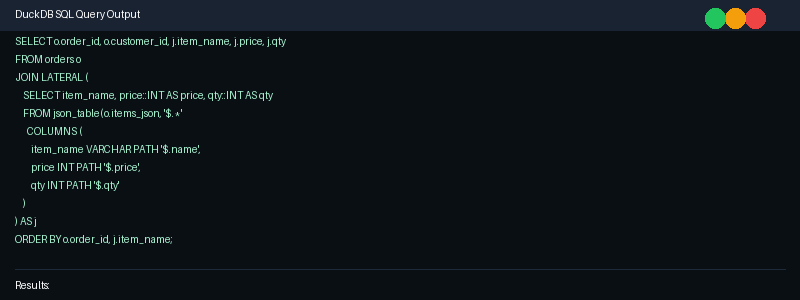
Figure: Example terminal output showing DuckDB JSON processing queries and results
Summary
Through four practical business scenarios, this article covered the core concepts and techniques for working with JSON data in DuckDB:
read_json/read_json_auto: Load data directly from JSON files without preprocessingjson_extract: Extract any JSON path value as a JSON objectjson_extract_scalar: Extract scalar values as TEXT — efficient for simple lookupsjson_table: Expand JSON arrays and objects into relational rows — the most powerful tool for nested datajson_array_length/json_array_elements: Get array lengths and iterate through array elements- Nested structure handling: Multi-level nested JSON can be flattened through combinations of the above functions
With these skills, you can handle virtually any JSON data structure complexity, making DuckDB a powerful weapon for semi-structured data analysis.
For more DuckDB tips and tricks, follow DuckDB Lab (duckdblab.org).
Recommended Further Reading:
- DuckDB JSON Functions Documentation
- Using httpfs to Read JSON from S3/HTTP
- Parquet and JSON Interoperability
本文信息
| 项目 | 内容 |
|---|---|
| DuckDB 版本 | v1.5.x(部分功能基于 v2.0 Preview) |
| 最后验证 | 2026-09-12 |
| 测试环境 | Linux / x86_64 / 16GB RAM |
| 官方文档 | DuckDB Documentation |
| GitHub | pengzz9527/duckdb-blog |
如发现错误,欢迎通过 GitHub Issue 或邮件 [email protected] 反馈。